Privacy Settings
Review who can see your information
- Who can see posts, photos, location, and personal information like birthdates.
- Who can send friend requests.
- Who can look you up using your email address.
Social Media and Mobile Devices
Scammers use information from social media to build trust and create personalized attacks.
Privacy Settings
Do NOT share sensitive information via social media
The fewer people that have access to your personal pictures and information, the better.
Fake account red flags:
You don’t have to be friends with everyone who sends you a request. Verify profiles by looking for mutual friends and checking the profile’s activity.
A trick where individuals create fake online personas to build fake romantic relationships, gain trust, and then manipulate victims into sending them money or revealing personal information.
Common themes or red flags:
Visual example
Look for signs that a profile may not be genuine.
Traveling abroad right now. Looking for a serious connection.
Message: “I care about you so much, but I have an emergency. I need help paying a medical bill. Please send money today.”
Safe Mobile Device Use
Only grant permissions that are necessary for an app to function. Apps may request access to contacts, location, camera, microphone, or files without actually needing it.
Always download apps from official app stores. Check reviews and ratings before downloading an app to ensure it is legitimate. Be suspicious of apps with very few downloads or poor reviews.
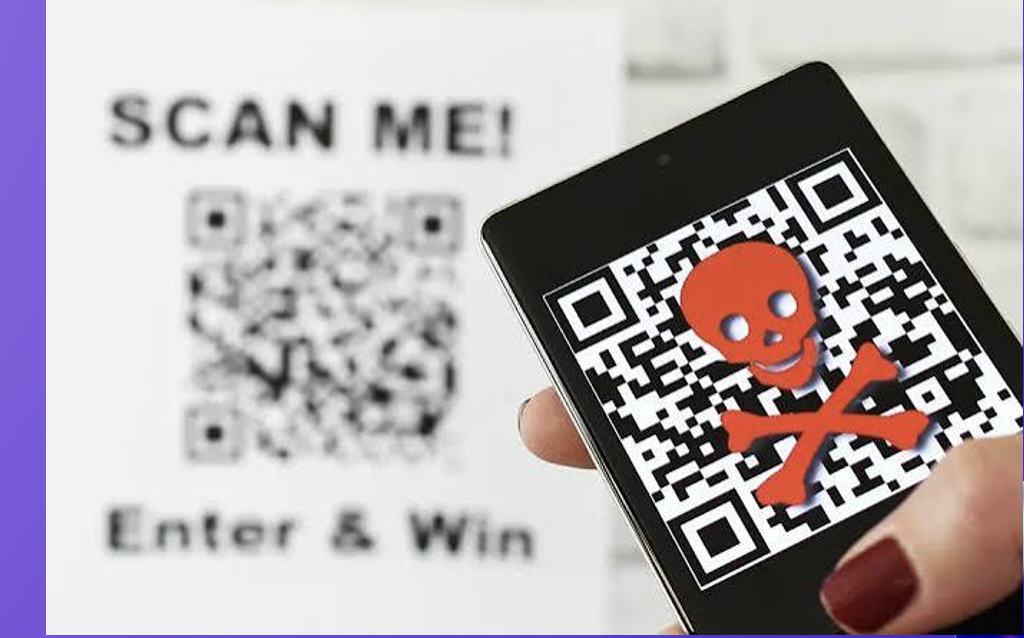
Be careful of scanning QR codes. They can link to malicious websites or download malware. Never scan QR codes from untrusted sources or unsolicited communications.
Check for physical tampering, for example if the code is a sticker someone has placed over the original. Use apps that preview the URL before opening.
Be especially careful in public places like restaurants, parking meters, posters, flyers, and bulletin boards. A scammer may place a fake QR-code sticker over a legitimate one and send you to a malicious website.
Visual example
Be cautious when scanning QR codes in public places, especially if the code is posted on a table, sign, flyer, or parking meter.
Smart Home
This includes devices that connect to your home Wi-Fi, such as smart TVs, video doorbells and security cameras, home security systems, smart speakers, and smart thermostats.
Smart speakers like Alexa and Google Home are always listening. They collect data about your habits, preferences, and routines. Other connected devices, such as cameras, doorbells, TVs, and security systems, may also collect information or be accessed over the internet.
Outdated devices are more vulnerable to security attacks. Enable automatic updates when possible or manually check for updates regularly.
Many devices record conversations, track usage patterns, and monitor behavior. Some devices share data with third parties.